
Overview
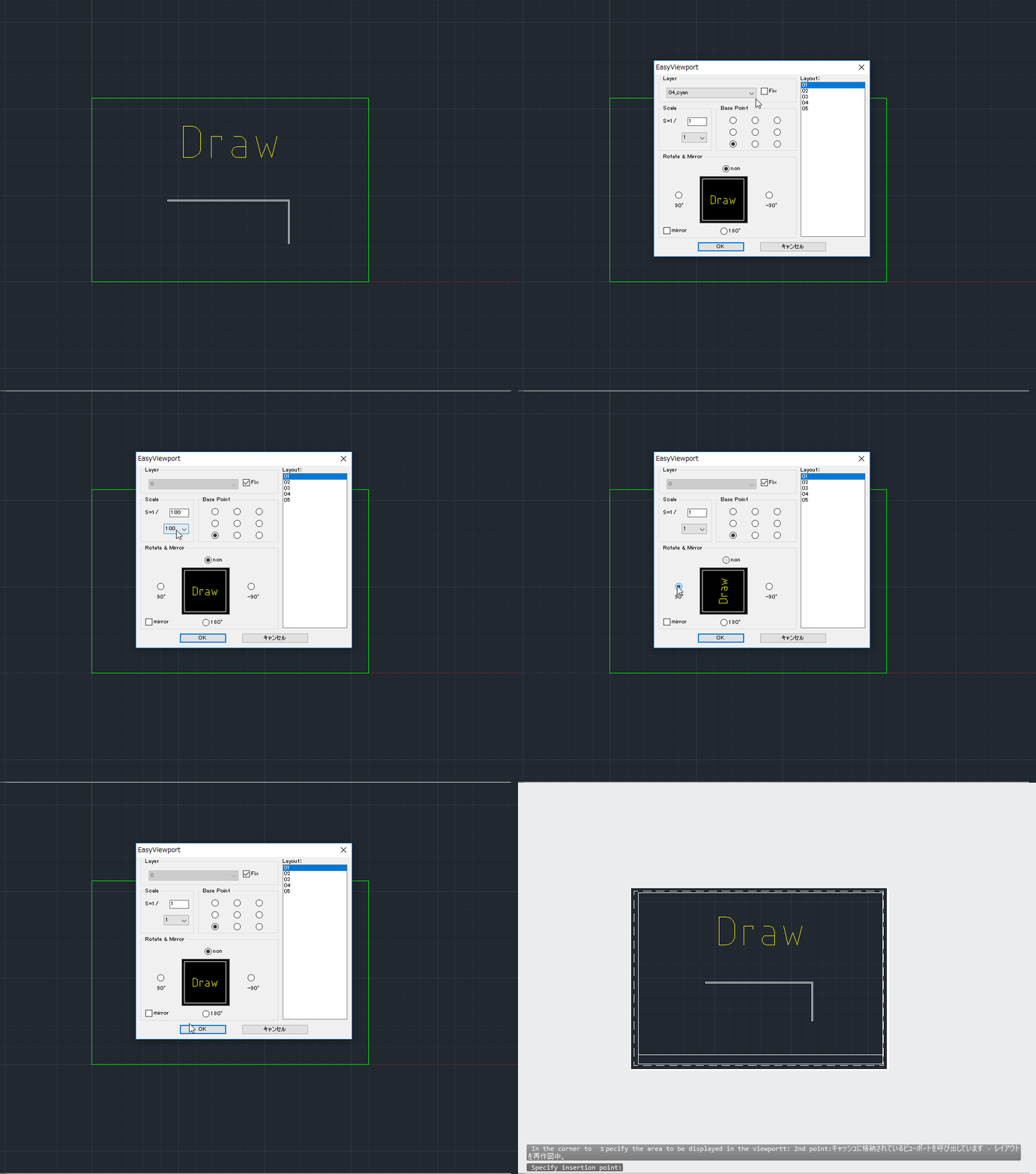
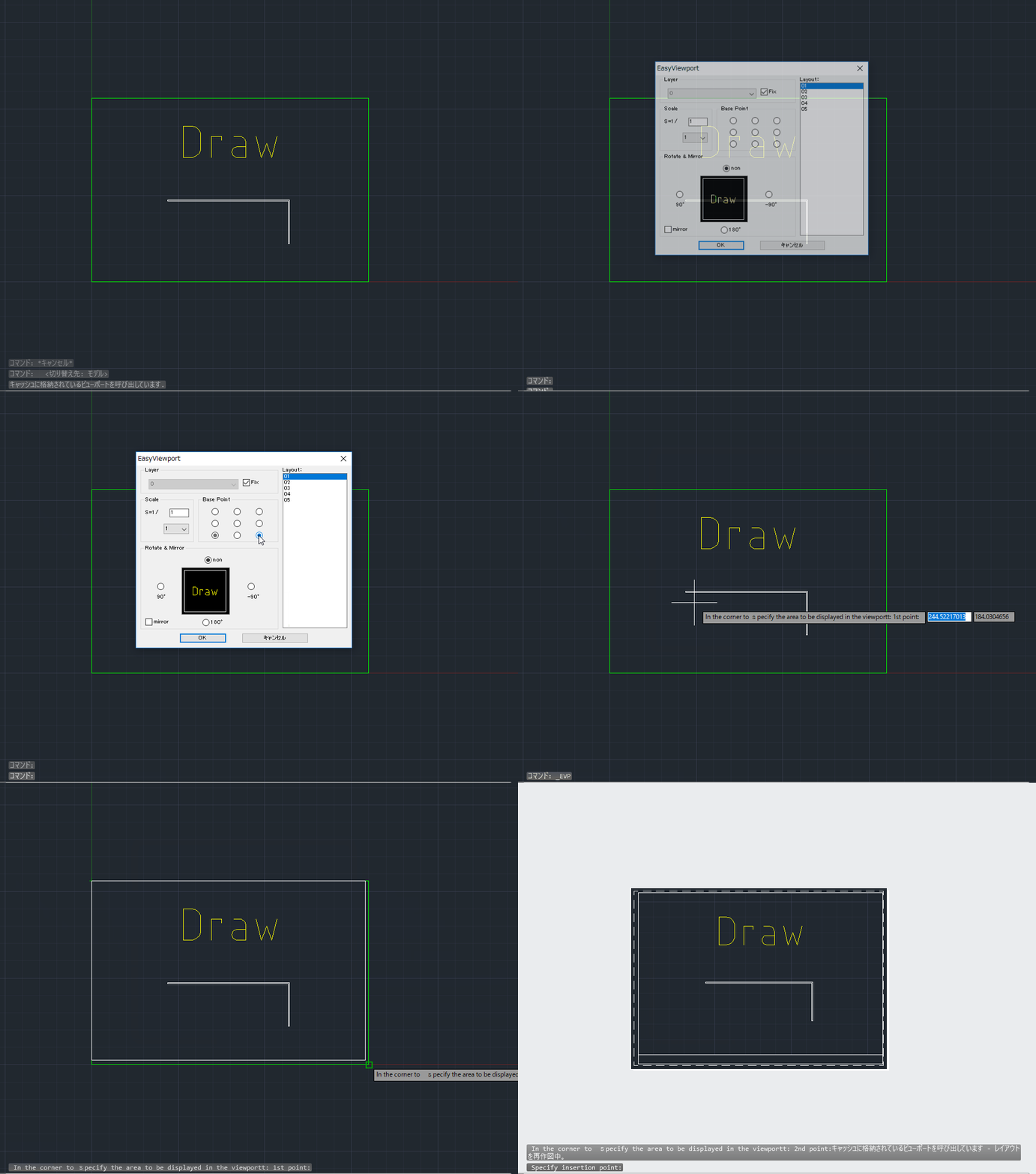
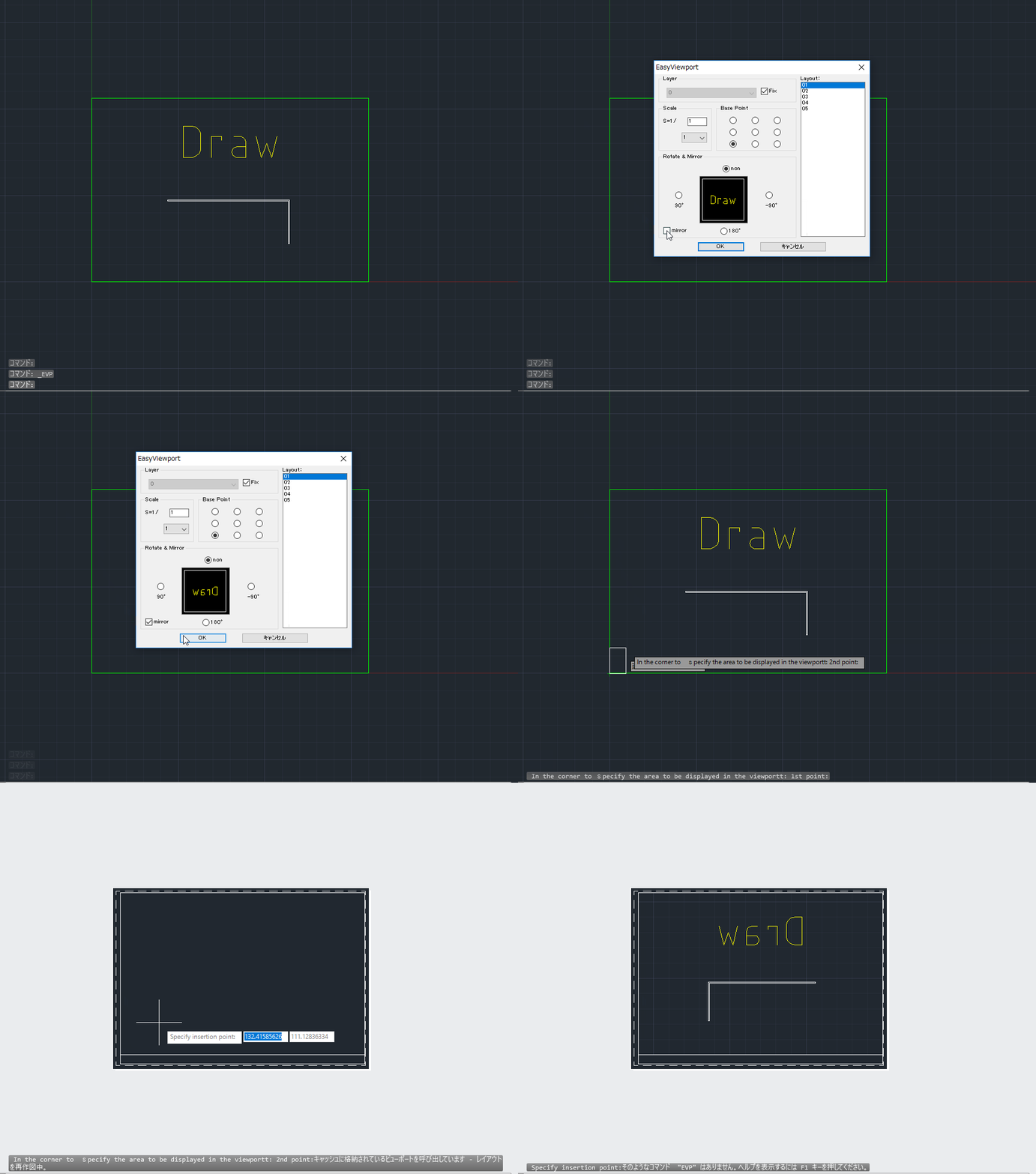
EasyViewport is a productivity tool for AutoCAD that simplifies the creation of paper space viewports from model space.
Its intuitive visual interface allows users to configure viewport settings easily and efficiently.
EasyViewport is designed to simplify drawing layout tasks and improve everyday drafting productivity.
Viewport Configuration
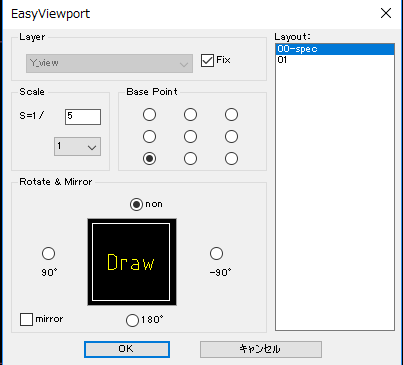
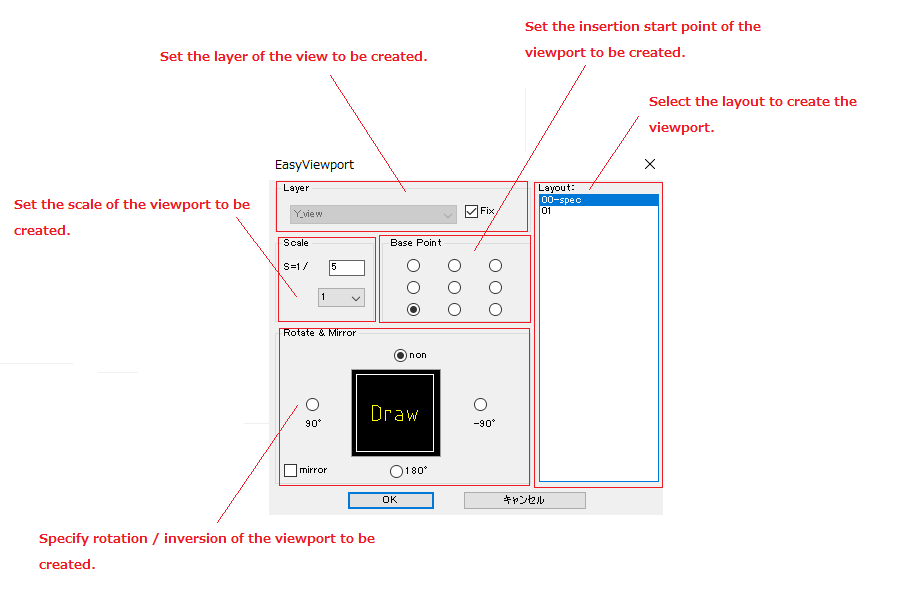
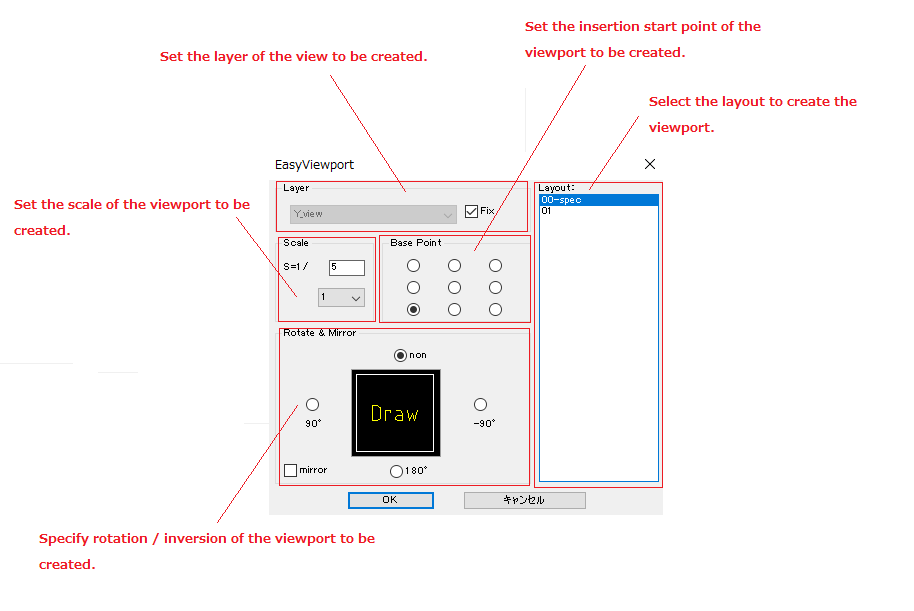
EasyViewport provides a visual settings panel for configuring viewports.
The following settings are available:
Layer
Specify the layer on which the viewport will be created.
Scale
Specify the scale of the viewport.
Base Point
Select the base point used to position the viewport in paper space.
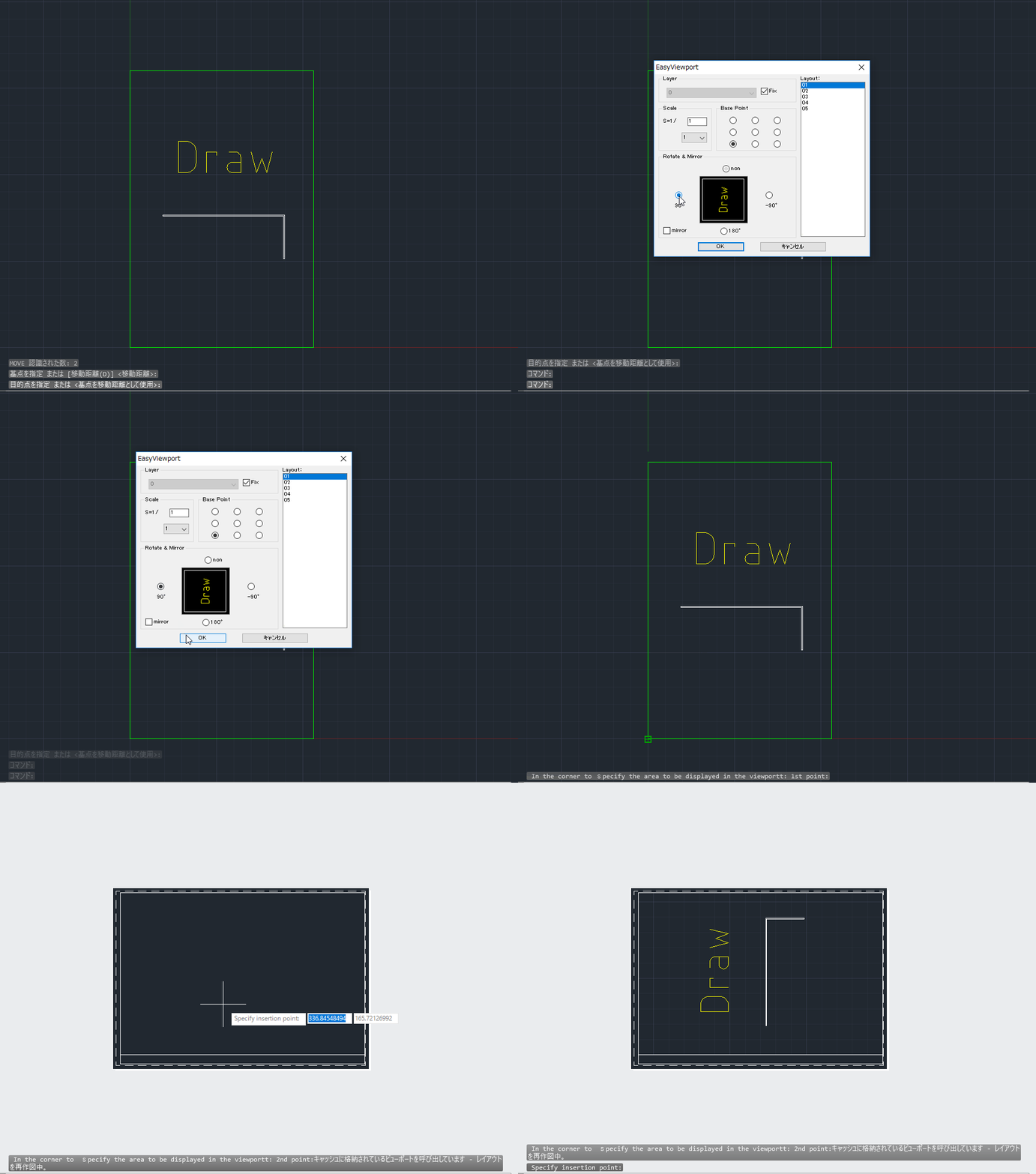
Rotate and Mirror
Specify the rotation and mirroring of the viewport.
Layout
Select the paper space layout in which the viewport will be created.
Getting Started
EasyViewport can be accessed from the AutoCAD command line, ribbon, or toolbar.
- Open AutoCAD.
- Select the Add-ins tab on the ribbon.
- Click the EasyViewport button.
- Configure the viewport settings.
- Select the destination layout.
Alternatively, enter the EVP command directly in the AutoCAD command line.
Typical Applications
EasyViewport is useful for a wide range of drawing layout tasks, including:
- Architectural drawings
- Construction and shop drawings
- Detail drawings
- Mechanical drawings
- General CAD drafting
Installation
- Download EasyViewport from the Autodesk Marketplace.
- Run the downloaded installer.
- Restart AutoCAD if necessary.
- Enter
EVPto launch EasyViewport.
Support
For questions, feedback, or technical support, please contact tydesign.
Email: tydesign.jp@gmail.com