Overview
FramePartitionLite is a lightweight drafting tool for AutoCAD that helps organize drawings using partition frames. It includes EasyViewport for creating paper space viewports from model space.
Frame Partition Settings
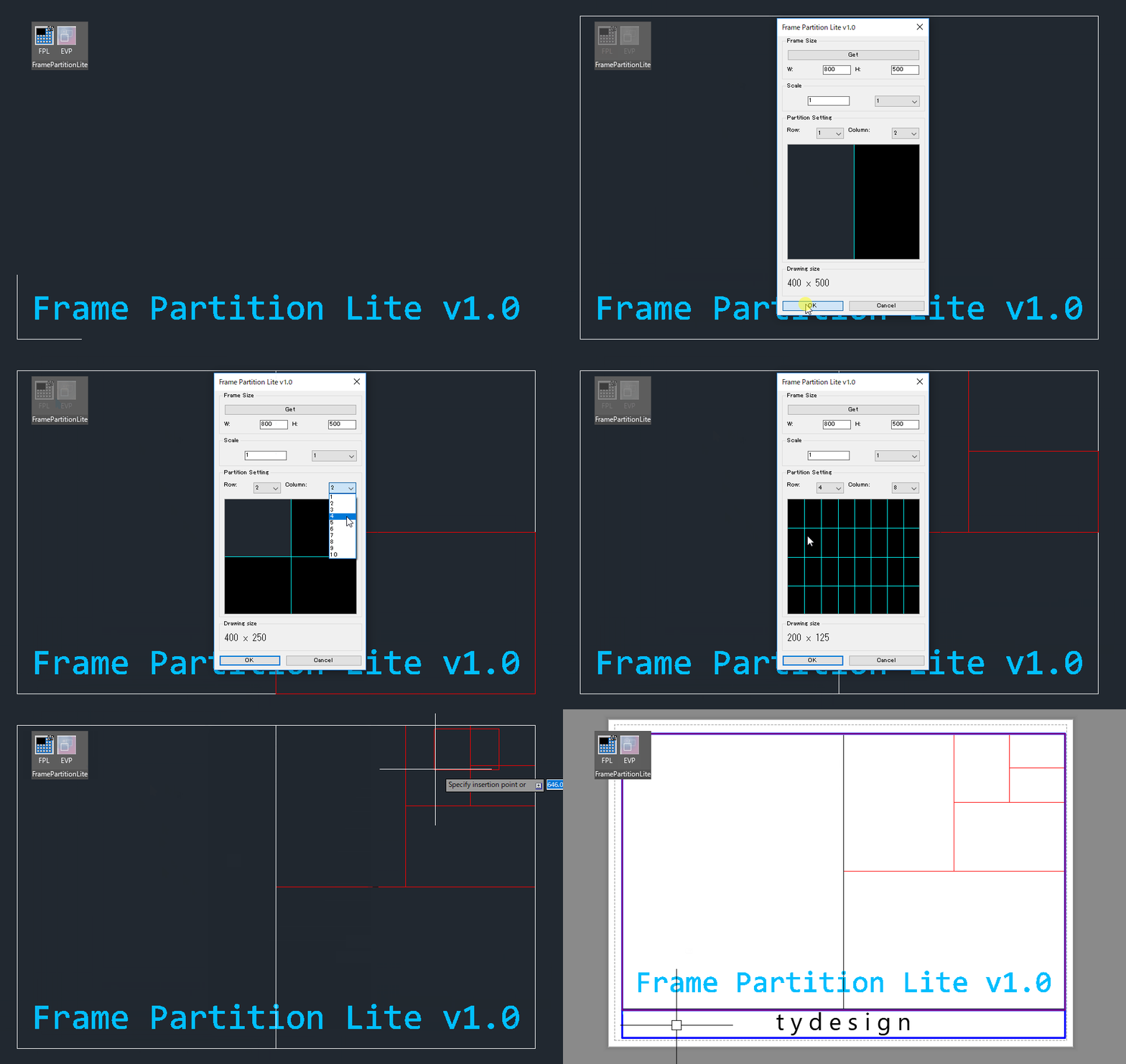
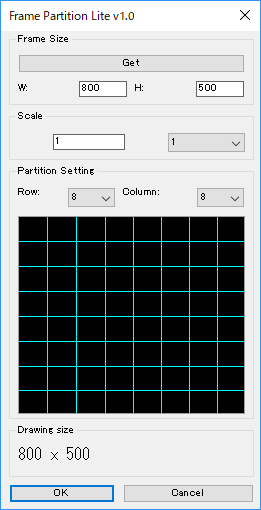
Use the FPL command to open the settings dialog. Specify the frame width and height, drawing scale, and the number of rows and columns. The dialog displays a grid preview and the resulting drawing size.
Viewport Creation
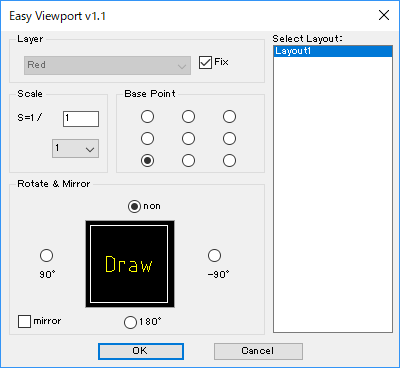
Use the EVP command to configure the viewport layer, scale, base point, rotation, mirroring, and destination layout.
For more information, see EasyViewport.
Getting Started
- Open AutoCAD.
- Select FPL from the application ribbon or enter
FPLat the command line. - Configure the frame size, scale, rows, and columns.
- Review the grid preview and click OK.
- Use
EVPwhen creating a paper space viewport.
Looking for More Drawing Options?
For additional frame management options, explore the full version: FramePartition.
Installation
Download FramePartitionLite from the Autodesk Marketplace and follow the installation instructions.